Buyer Intelligence
Buyer Intelligence shows you which companies are viewing your product, your category, and your competitors on Software Finder, so you can find buyers, reveal contacts, and send buyer data to your CRM (customer relationship management system).
Buyer Intelligence is a paid feature for each product. On the free plan, the Signals page shows the signal cards and charts without filters. See Subscription Plans for what each paid plan includes.
Source of Buyers
Buyer Intelligence is based on buyer activity on the Software Finder website. It tracks these types of activity: profile, pricing, alternatives, category, competitor, reviews, and demo.
Signals and intent scores are updated almost every day.
Software Finder works with GDPR and SOC 2 compliant partners to identify the companies behind buyer activity and to find contacts at those companies.
Open Buyer Intelligence
To open Buyer Intelligence:
- In the left sidebar, click Buyer Intelligence.
- At the top of the Buyer Intelligence menu, click the product name, then select a product from the list. The list shows each product's name and category, and its plan if the product is on a paid plan.
- Click Signals, Buyers, or Integrations.
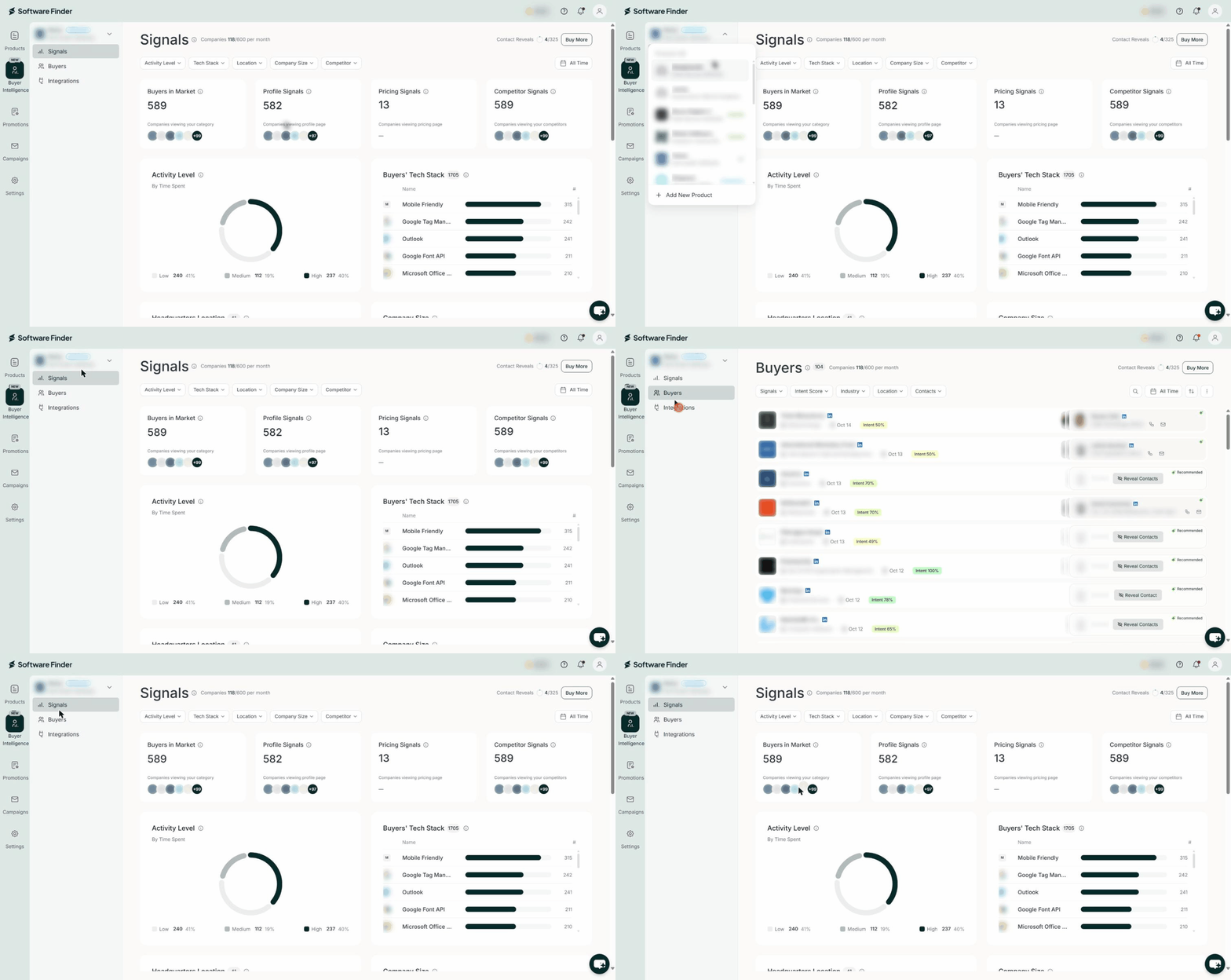
Buyer Intelligence has three pages:
- Signals: A summary of buyer activity for the selected product. See Buyer Intelligence Signals.
- Buyers: The companies viewing your product or category, with intent scores, company details, activity, and contacts you can reveal. See Buyers.
- Integrations: API key management for sending buyer data to your CRM. See API Integration.
If you see a paywall asking you to upgrade, the selected product is on the free plan. Choose a paid plan that fits your needs.
Usage Counters
The top of the Signals and Buyers pages shows two counters:
- Companies: How many buyers you have received this month, out of your monthly allowance. Each buyer is a company.
- Contact Reveals: How many contact reveals you have used, out of the reveals available to you. Hover over the counter to see the full text, for example "0 of 50 contact reveals used".

Your allowances depend on your plan and billing term. See Subscription Plans.
Companies
When you reach your monthly allowance of companies, new buyers appear again after the next month starts.
Contact Reveals
Your plan adds contact reveals every month. Unused reveals carry over from month to month. To see how many reveals a buyer uses, see Reveal Contacts.
If you cancel your plan, you can use your remaining reveals until the end of your billing period. After that, the reveals are removed. This applies to reveals from your plan and reveals you bought.
Buy More Contact Reveals
To buy more contact reveals:
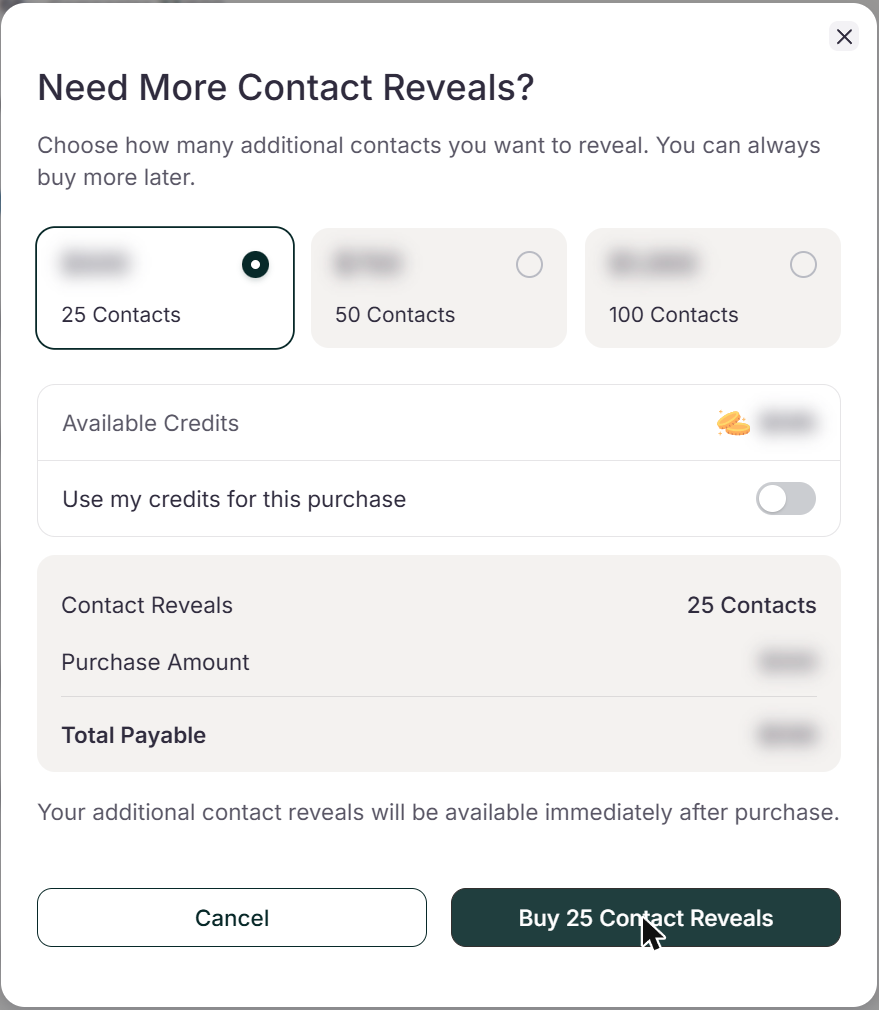
- Next to the Contact Reveals counter, click Buy More. The Need More Contact Reveals? dialog opens.
- Select an option. Each option shows the number of contact reveals and the price. The summary shows Contact Reveals, Purchase Amount, and Total Payable. On the Enterprise plan, the dialog shows Available Credits. Turn on Use my credits for this purchase to pay with credits. If your credits do not cover the full amount, the rest is charged to your card on file.
- Click Buy [number] Contact Reveals, for example Buy 25 Contact Reveals. The purchase is charged to your card on file, or to your credits if you turned them on. The reveals are available immediately.
FAQs
Why am I not seeing new buyers?
You may have reached your monthly allowance of companies. New buyers appear again after the next month starts.
What happens to my contact reveals if I cancel my plan?
You can use them until the end of your billing period. After that, they are removed, including reveals you bought.
Can I use credits to buy contact reveals?
Yes, on the Enterprise plan. If your credits do not cover the full amount, the rest is charged to your card on file.
Can my team members use Buyer Intelligence?
Yes. Every team member on your vendor account can use it.
How often is Buyer Intelligence data updated?
Almost every day.